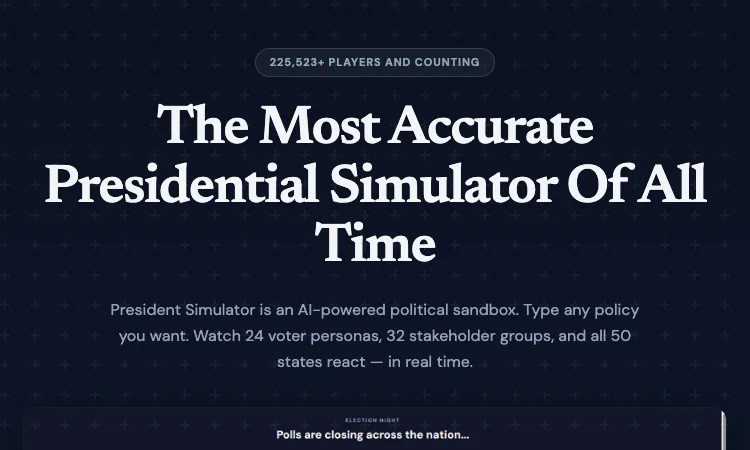
President Simulator, the AI-powered political sandbox at fantasypresidentcareer.com, looks like a game about politics, but the skill it actually trains is closer to drafting. You type a policy, you attach public spin, and 24 voter personas, 32 stakeholder groups, three newspapers and 50 states read your words. Players who write carelessly get read carelessly. This guide collects the practices that separate a survivable President Simulator term from a one-term disaster.
None of these tips require premium. They do require the free tier's discipline: two games per day, one career capped at Month 12. Used well, that cap is not a limitation but a forcing function — each free run of President Simulator becomes a focused exercise in one aspect of the craft.
The most common beginner error in President Simulator is pouring effort into the policy text and typing a lazy spin. The model reads both. The same energy policy framed as "protecting working families" and framed as "a tax on producers" reaches a Texas rancher and a Brooklyn activist as two different laws, even though the mechanism is identical.
A practical habit: draft the policy, then write three candidate spins, then ask which one survives all three newspapers — left, centre and right each headline your month in President Simulator, and a spin that only plays to one front page is a spin that loses two. Keep the policy and spin in separate notes so you can compare later which one caused a reaction. The exercise sounds slow the first time and takes about two minutes by the fourth, at which point it has quietly become how you write everything.
Every month in President Simulator normally opens with a briefing event, but some months are quiet. Beginners treat quiet months as dead air and type something fast to move on. That is a wasted asset.
A quiet month in President Simulator is the only time the agenda is fully yours — no crisis framing, no forced choice. The practiced play is to hold a quiet month for the policy you actually believe in, the one that defines the presidency you want on the Wikipedia-style page President Simulator writes at term's end. A term made only of crisis responses has no identity; the quiet months are where you write one.
The Month 22 midterm election in President Simulator is not a surprise; it is an audit of the first 21 months. The 50-state approval map has been showing you the exam questions all along, one month at a time.
The discipline is simple: each month in President Simulator, before typing, look at the ten weakest states on the map and ask what your last three policies did to them. The site warns that your policies come back to haunt you through downstream events, and the states that drifted early are exactly where that haunting lands. Small course corrections in Months 8 through 15 are cheap; discovering a lost region at Month 22 in President Simulator is not.
The same logic applies to the 32 stakeholder groups. Their support shifts over time, not on command, so a bloc you slight in Month 5 is a bloc you lobby in Month 15, not a bloc you win back the month you need it. Treating Wall Street, the NRA and the Pentagon as long-term relationships rather than buttons is the difference between a president with allies at the midterm and a president with a list of former allies.
President Simulator supports era settings from 1949 to 2025, plus custom scenarios and Career Mode. The tip: change one variable at a time. A player who jumps from a 2025 default run straight into a 1949 run with economy simulation, Congress legislation and Social Engineering all switched on learns nothing from the differences, because everything differs.
Advanced modes in President Simulator add real mechanical weight — Congress legislation can stall your program, the economy simulation adds downstream material effects. Turn them on one per career and keep notes. Two runs of President Simulator that differ by exactly one mode will teach you more than ten runs that differ by everything.
Because President Simulator generates consequences months after causes, human memory is the weak link. Keep a plain text file: one line per month — the policy, the spin, the three headlines, the map movement. Five minutes per month of play.
The payoff arrives twice. Before Month 46, your notes are a campaign file telling you which record to run on. And after the election, the notes against the Wikipedia-style page President Simulator generates are a private lesson in how your decisions looked from the outside — often very different from how they felt from the desk.
The notes compound across careers, too. Career Mode links administrations, and era settings from 1949 to 2025 let you rerun similar situations under different conditions. A line in your file that says "this exact spin lost the centre paper twice" is worth more in your third career than any general advice, because it is calibrated to how you write, not to how a guide writer does.
The free tier of President Simulator — two games a day, no credit card — is best spent on weaknesses, not comfort. One free run to practice spin under the three newspapers. One run to practice midterm preparation. When a specific skill stops being the reason you lose, that is the moment premium at £5.99 monthly or £59.99 yearly for the full 48-month term, unlimited careers and advanced modes starts paying for itself, tokens and all, in President Simulator.
Play President Simulator the way you would write anything that matters: deliberately, with the audience — all 24 personas of it — actually in mind.

Flying Roadster AI Video Generator is a playful AI experiment that turns car photos into cinematic flight scenes with optional portrait and six frame shapes.

Project Moon Life is an atmospheric, free life simulation where curious players explore a fictional City through choices and archived lives.
AI-powered face analysis with personalized insights on facial proportions, symmetry, style, grooming, and hairstyle recommendations.
Seven free browser football games in one place — career sims, legend guessing, squad building, and a daily seeded challenge — no account or download needed.

Get an instant, fully in-browser PSL rating from one photo — nothing is uploaded, and you receive a score, tier, category breakdown, and shareable card.
Put two face photos head-to-head and get structured PSL scores with an eight-dimension radar, a verdict, and a shareable card — scientific or roast mode.