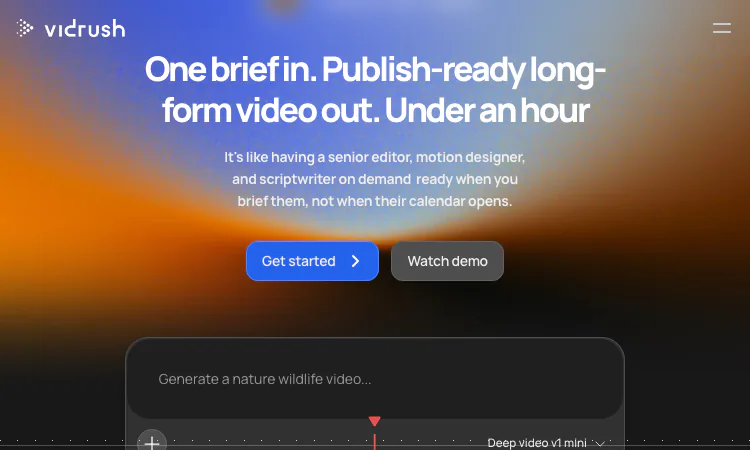
Any tool that reduces production to an afternoon makes the remaining craft more visible, not less. When the render is fast, the quality of what you feed the machine and the discipline of what you do with the draft become the whole game. This article collects the working habits that separate channels that get real value from VidRush from channels that generate a lot of video and publish little of it.
None of these tips are hacks. Each one is about placing your judgment where the VidRush pipeline gives you the most leverage: the brief, the approval gate, and the revision pass. VidRush gives you three handbrakes; the skill is using all three.
The brief is the cheapest input in the whole VidRush pipeline, which makes it the most commonly underinvested. A brief that says "video about the Panama Canal" invites a script that reads like an encyclopedia entry. A brief that says "why canal traffic dropped by a third, told through the shippers who rerouted" gives the VidRush researcher role a question and the VidRush scriptwriter role a spine.
Two habits fix most weak briefs. First, write the one sentence you want a viewer to repeat to a friend a week later, and include it verbatim. Second, name the format explicitly, documentary, explainer, breakdown, or listicle, because VidRush paces a six-to-sixty-minute video differently per shape, and the format is how you tell VidRush which rhythm you want.
The brief language is flexible: VidRush accepts English, German, and Spanish briefs, though narration output is English today. Write the brief in whichever language your thinking is sharpest in, and let the pipeline handle the rest.
The strongest feature of VidRush is also the easiest to click through. Before any render, VidRush presents script, planned footage, voice, style settings, and a cost estimate, and nothing is produced until you approve. Treat that screen as an editorial meeting you called, not a confirmation dialog.
Three passes make the VidRush gate worth the name. Read the script once for structure: does the opening promise match the ending payoff? Read it again for claims: which sentences would you want sourced before your channel name sits on them? Then read the cost line: VidRush prices finished video from $2.18 per minute, plans from $99 a month, below $2 at scale, and the estimate is sitting beside the script right now. Cutting two minutes at the gate is a budget decision; cutting them after the render is a write-off.
The VidRush footage mode at the gate deserves a default. Public domain and Creative Commons only is the setting a channel with any licensing exposure should choose and rarely revisit; commercial stock and general web crawling exist for channels that value range over provenance. Set it once, in policy, not per video in a hurry.
When the VidRush V1 arrives in under an hour, with thumbnails and an original music bed, the temptation is to scrub it. Do not. Watch it end to end at normal speed, without pausing, and keep a pen in hand. The timestamps where your attention drifts are your revision list, written by the same mechanism that decides whether your real audience finishes the video, and only then should you go back to the VidRush timeline for detail work.
Then make one decision deliberately: what does this VidRush draft tell you about the brief? A weak middle usually means the brief buried its best fact. A flat ending usually means the brief never stated what the viewer should take away. Fixing the brief, not the draft, is the compounding habit; every VidRush brief you write afterward inherits the lesson.
VidRush gives two revision doors, and order matters. Chat instructions in plain English are the first door: tighten 6:40, replace the clip at 9:15, warm the narration in the closing minute. Chat is cheap, fast, and teaches you the phrasing VidRush responds to.
The manual VidRush timeline editor is the second door, and it is for decisions you can see but not say. Because editing in VidRush is non-destructive, trimming, replacing, or retiming a clip leaves the rest of the render untouched, a manual fix costs only the fix. The habit to build is small first: make your first timeline edit a two-second trim, confirm the rest of the video is unchanged, and only then reach for bigger cuts. Trust in VidRush is built one non-destructive edit at a time.
Two habits come from the product scope rather than the workflow. First, brief for the formats VidRush actually builds, documentary, explainer, breakdown, listicle, six to sixty minutes, and do not spend a VidRush run fighting the lane; vlogs, gaming, and vertical Shorts are out of scope by design, and the narration is English today. Second, brief in the language you think in, English, German, or Spanish, and let the VidRush pipeline turn that intent into an English script rather than compressing your thinking early. Channels that respect both habits get drafts that feel native on the first pass, and the VidRush review time drops accordingly, because these habits give the channel-matching in VidRush a catalog and a brief that agree with each other.
That agreement is the cheapest quality lever in the whole VidRush stack, because it costs a sentence in the brief. A wasted VidRush run is almost always a scope mistake, and scope mistakes are free to avoid.
After a month of VidRush use, the honest review is two columns: minutes of finished video per working hour, and cost per finished minute against your back catalog. If both columns moved the right way, the tool stays. If only enthusiasm moved, the tool goes, whatever the drafts felt like.
Two scoping notes belong in any tips article, because they prevent wasted months. VidRush is for researched, scripted, long-form video; vlogs, gaming, and vertical Shorts or Reels are out of scope, plainly stated. And the channel-matching feature, VidRush studying your pacing, motion, and editing rhythm before generating, gets better as your catalog grows, so early drafts are the baseline, not the ceiling.
The craft does not disappear when production gets fast. It concentrates into the VidRush brief, the gate, and the revision list, and the channels that treat those three screens as their real workplace are the ones whose catalogs show it. VidRush supplies the crew; these habits are how you direct it.

Flying Roadster AI Video Generator is a playful AI experiment that turns car photos into cinematic flight scenes with optional portrait and six frame shapes.

Project Moon Life is an atmospheric, free life simulation where curious players explore a fictional City through choices and archived lives.
AI-powered face analysis with personalized insights on facial proportions, symmetry, style, grooming, and hairstyle recommendations.
Seven free browser football games in one place — career sims, legend guessing, squad building, and a daily seeded challenge — no account or download needed.

Get an instant, fully in-browser PSL rating from one photo — nothing is uploaded, and you receive a score, tier, category breakdown, and shareable card.
Put two face photos head-to-head and get structured PSL scores with an eight-dimension radar, a verdict, and a shareable card — scientific or roast mode.